
The Demo (allows only totals less than 10) processor needs no device. It approves the card payments of sales under 10 after 5 seconds, so you can try how a card payment works and train the cashiers before the terminal arrives. The common fields and the steps are in Adding, editing and deleting payment processors.
Settings
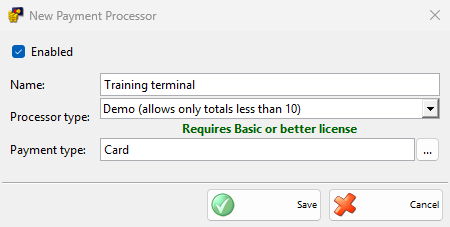
The type has only the common fields. Select a card payment type in Payment type:.
Taking a payment
- Save a sale under 10 and choose a payment type of the processor in the Payment window, then click OK.
- The Process Card Payment window opens. Cancel counts down from 5 seconds.
- After 5 seconds the payment is approved, the window closes and the sale is saved.
A payment of 10 or more shows “Only payments for less than … are allowed by this payment processor!” and the Payment window stays open. Payments of other documents and refunds are saved without the processor.
Without a Basic or better license, IncoPOS shows the license message once and saves the payments without the processor.
Clear Enabled or delete the processor when the real terminal is set up, so that it does not take the payments of the same payment type.