
Use Edit → Reprint Documents → Advance Payment… to print a saved advance payment again as a payment receipt. Printing does not change the payment.
Select and print an advance payment
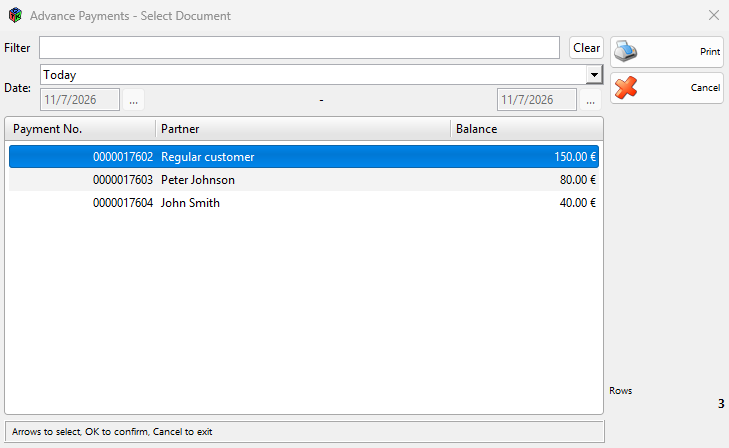
- Go to Edit → Reprint Documents → Advance Payment…. The Advance Payments – Select Document window opens.
- Find the payment with Date:.
- Select the payment and click Print, or double-click the row. To print several payments, select them with Ctrl+click.
- Each selected payment opens in its own print preview, where you print or export it.
| Control | What it does |
|---|---|
| Filter | Finds payments by Payment No. or Partner. |
| Date: | The period of the listed payments. Today is used the first time. Choose Custom Dates to enter a start and end date. The window remembers the last period. |
| Clear | Sets Today. |
| Prints the selected payments as described above. | |
| Cancel | Closes the window. |
Balance in the list is the part of the payment that is not used yet. The list shows the advance payments of all users.
What is printed
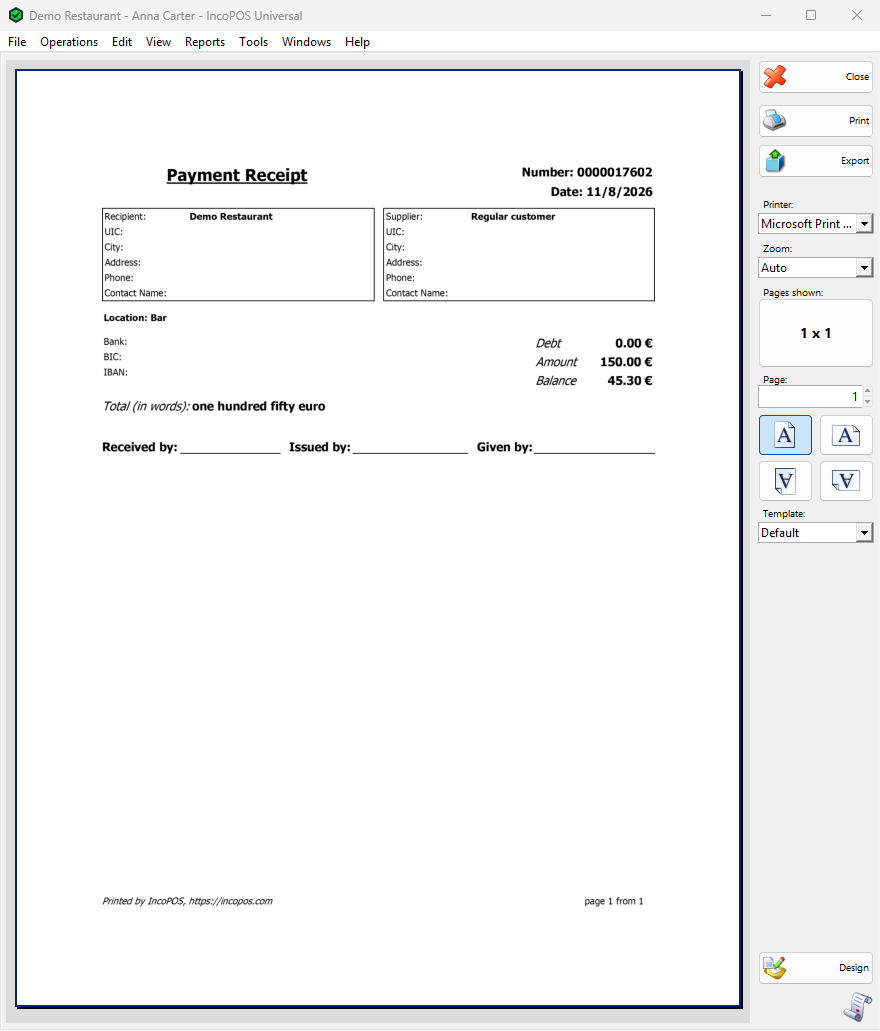
The document is the Payment Receipt. It has:
- the number and the date of the payment;
- the recipient and the supplier: for a payment received from a partner, the recipient is your company and the supplier is the partner, and the other way round for a payment to a partner;
- the location of the payment, after Location:;
- the bank details of the supplier;
- Debt, which is 0 for an advance payment, Amount, which is the Balance from the list, and Balance, which is the balance of the partner today;
- the amount in words and the lines for the signatures.
The print preview also lets you change the printer and the template before you print.
Permissions
Permissions are set in Edit → Administration → Permissions….
| Permission | What it allows | Not allowed by default for |
|---|---|---|
| Reprint Documents → Advance Payment… | The menu item. | Nobody |
Troubleshooting
| Problem | Solution |
|---|---|
| Reprint Documents is disabled | The computer has no printer and no document exporter. Install a printer. |
| A payment is not in the list | Check Date:. The list shows only advance payments, by the date of the payment. |