
The Proforma Invoices Report lists the item rows of saved proforma invoices. Each row of a proforma invoice is one row in the report, with its document number, date, item, partner, location, user, quantity, price, VAT and amounts. Nothing is grouped or summed, so you can follow each document line by line. Drafts and annulled proforma invoices are not included.
Open it from Reports → Management → Proforma Invoices….
Set the filter
The Proforma Invoices Report window opens first. Fill in only the filters you need; empty filters do not limit the report. A check box in front of a filter shows or hides that column in the result. Filters without a check box are always shown as columns, except the tag filters, which only filter. Press F4 or click … to choose a value from a list.
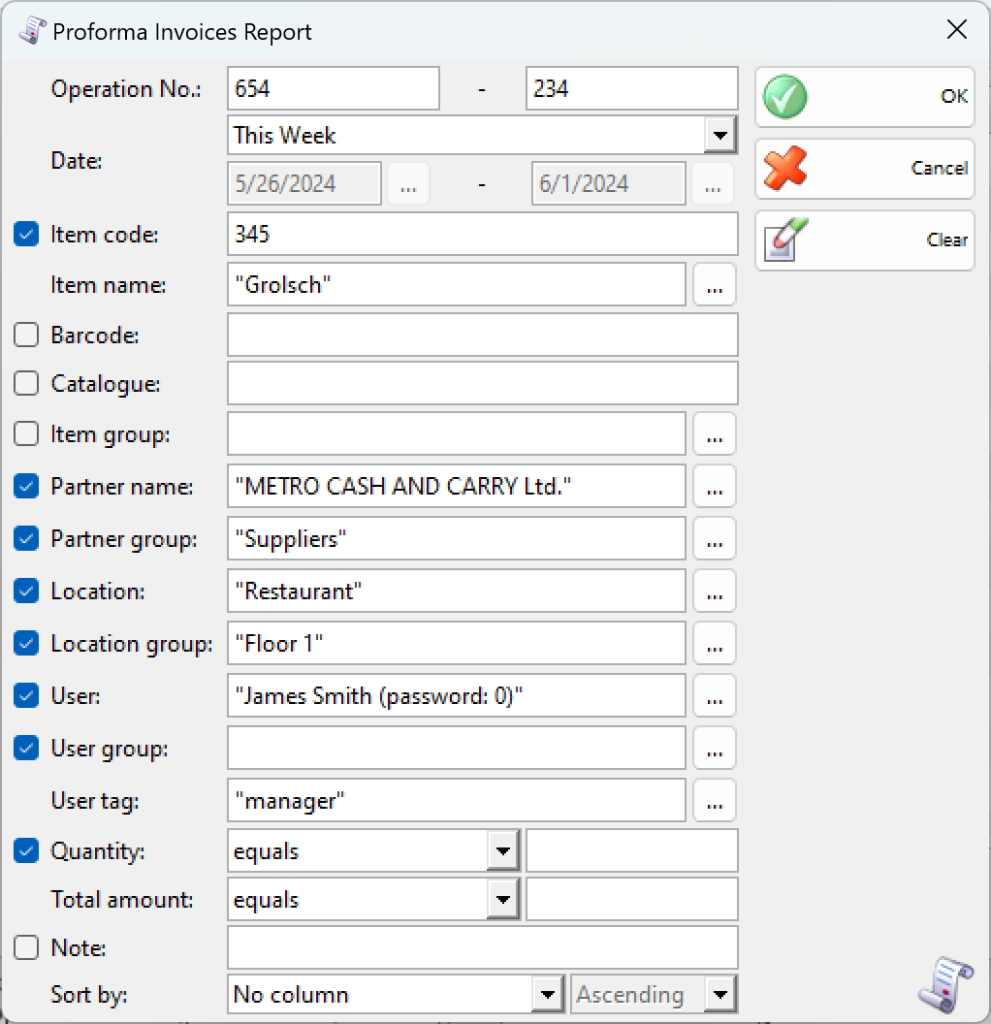
| Filter | What it limits |
|---|---|
| Operation No.: | A range of document numbers (from – to). |
| Date: | The period, for example This Week, or Custom Dates with a start and end date. |
| Item code:, Item name:, Barcode:, Catalogue:, Item group: | The items. An item tag filter is added when item tags exist. |
| Partner name:, Partner group: | The customers. A partner tag filter is added when partner tags exist. |
| Location:, Location group: | The locations. A location tag filter is added when location tags exist. |
| User:, User group: | The user of the document. A User tag: filter is added when user tags exist. |
| Quantity:, Total amount: | Rows whose quantity or total amount equals, is greater than or less than the value you enter. |
| Note: | Documents whose note contains the text. |
| Sort by: | Sorts by Operation No., date, item name, item code, partner, location or user, in ascending or descending order. |
When the program works with lots, the window also lists lot, serial number, production date, expiration date and lot location filters. Proforma invoices do not store lots, so leave these filters empty.
Click OK to run the report, Clear to remove all filters, or Cancel to close the window.
Work with the results
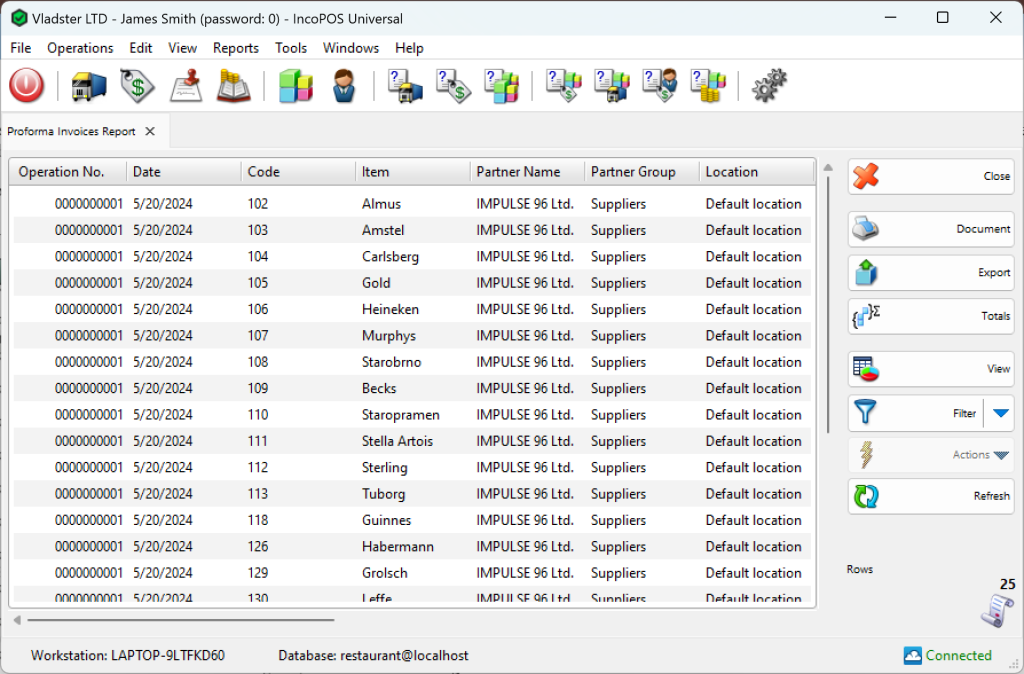
| Button | What it does |
|---|---|
| Close | Closes the report. |
| Document | Opens the print preview of the report. |
| Export | Exports the report to a file, for example CSV or Excel. |
| Totals | Adds a row at the bottom with the totals of the quantity and amount columns. |
| View | Shows the results as a chart. |
| Filter | Its menu has Report Filter (show the filters next to the results), Report Filter as New… and Quick Filter. |
| Actions | Actions for the selected rows, for example Edit to open the proforma invoice or Transform Selected Documents. |
| Refresh | Runs the report again with the same filter, for example after new proforma invoices are saved. |